

AI writing tools have exploded in popularity over the last several years. Giants like Grammarly now serve 30 million active daily users. The numbers make sense – nearly 50% of content professionals use AI tools daily.
My perspective comes from spending 3 years as a Head of Content at an SEO agency. During this time, I tested dozens of the best AI writing tools to identify which ones deliver real value. Platforms like Rytr have built an impressive user base of over 6.5 million. The reality is that not all AI tools deliver equal value. Finding the right ai writing tools that match your needs can feel daunting.
This piece ranks the 13 best AI writing tools we rely on in 2025, based on our detailed testing. Recent reports show 93% of creators use AI to generate content faster. The biggest question remains: which tools deserve your attention? You’ll find everything here – from specialized software for specific writing tasks to detailed content generators that help you make smart choices.
Table of Contents
Notion AI
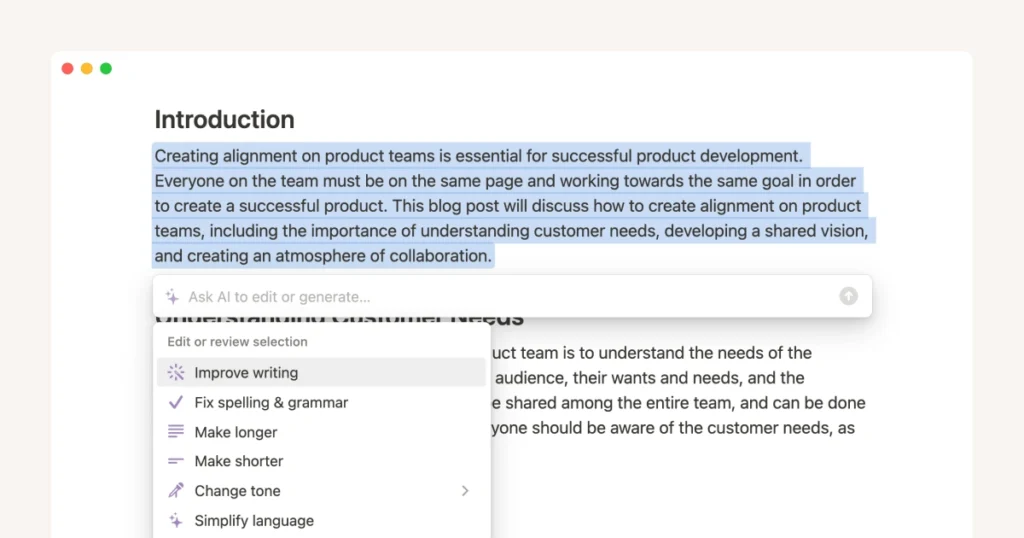
Image Source: Notion
Notion AI is a built-in assistant that works right inside your Notion workspace. This AI writing tool operates within your documents, databases, and projects. You won’t need to switch between different apps.
Notion AI Key Features
Notion AI comes with several features that boost productivity right where you work:
Smart Content Generation – Creates drafts for emails, blog posts, and social media content with customizable tone and style
Document Summarization – Pulls out key points from long documents, meeting notes, and transcripts quickly
Enterprise Search – Searches connected apps and documents (including PDFs) to find answers in seconds
AI Meeting Notes – Transcribes and summarizes meetings automatically
Translation – Converts documents into your preferred language
Research Mode – Creates detailed documents with thorough information
Database Automation – Sets up databases instantly from simple descriptions
Notion AI also connects with tools through MCP (Notion’s connection protocol) and follows custom permissions. This ensures security while keeping all functions working smoothly.
Notion AI Pros and Cons
Pros:
Built right into Notion – no app switching needed
Keeps data secure with TLS 1.2 or greater encryption
Won’t train on your data – contracts prevent using customer data for model training
Works with multiple AI models like GPT-4.1 and Claude 4
Adapts to your workspace content for better suggestions
Cons:
New users on Free and Plus plans get only 20 AI responses per workspace
Works only inside Notion
Complex information might have accuracy issues sometimes
Usage might slow down during peak times
Notion AI Pricing
Notion AI’s pricing changed a lot in 2025:
Business and Enterprise plans now include full Notion AI access at no extra cost. The Business plan costs $20.00/user/month with annual billing or $24.00/user/month with monthly billing.
Free or Plus plan users get a limited trial of 20 AI responses per workspace. Users who signed up before May 2025 can still use the old AI add-on at $8.00-$10.00 per user monthly.
Enterprise users get better AI features including advanced security, custom AI workflows, and early access to new features with custom pricing.
Notion AI Best For
Notion AI works great for:
Knowledge workers who organize and learn from large amounts of information
Content creators who need help writing, editing, and polishing their work
Teams and project managers who want automatic meeting notes and action items
Researchers who analyze documents and combine information
Existing Notion users who want to work faster in their current setup
Basically, Notion AI helps extend your thinking process rather than replace it. It handles the boring stuff like formatting, summarizing, and first drafts. This lets you focus on creative work that needs human insight and judgment.
Lex
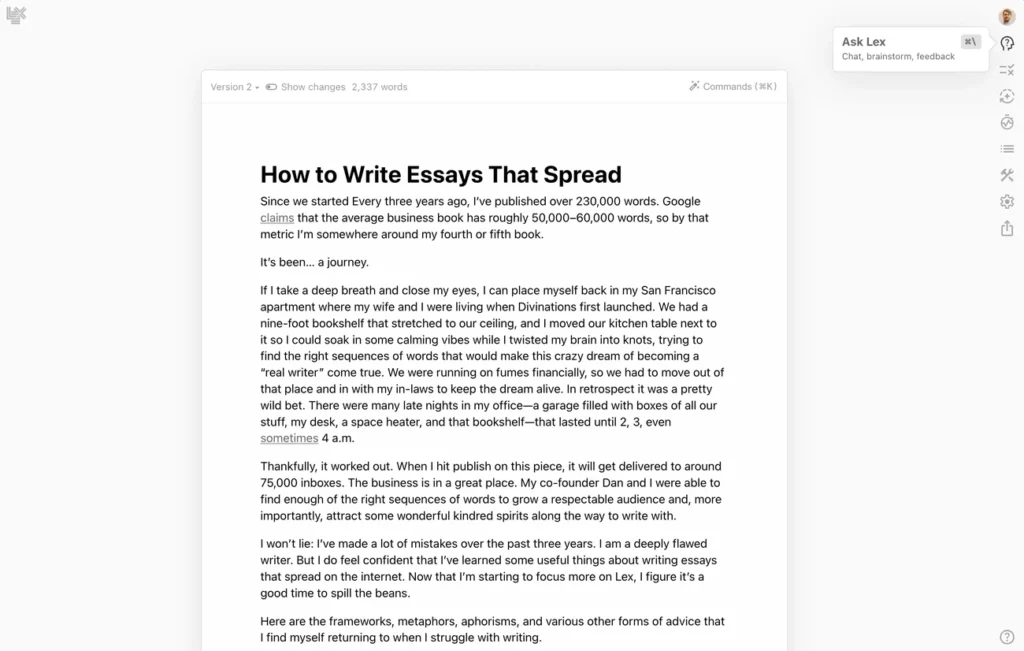
Image Source: lex.page
Lex stands out from other AI writing tools because it values quality over quantity. This minimalist word processor creates a distraction-free environment. The AI assistance boosts my writing process instead of taking over.
Lex Key Features
Lex brings together simplicity and sophistication with these standout features:
Distraction-free editor with a clean, easy-to-use interface that helps you focus and flow
“Ask Lex” AI assistant ready to help you write any time of day
Complete checks for grammar, clichés, readability, confidence, and passive voice
Focus mode lets you set custom goals like writing 500 words in 30 minutes
Style guides and knowledge bases adapt to your writing style
Cloud autosave and versioning keeps your work safe
Premium AI models including GPT-4o and Claude 3.5 Sonnet for Pro users
Keyboard-first navigation helps writers stay in their flow
You can share documents with editors or co-authors for live editing with the platform’s collaboration features.
Lex Pros and Cons
Pros:
Clean, elegant interface without distractions
Premium AI models provide better quality suggestions
Helps you overcome writer’s block
Makes your unique voice better instead of replacing it
Excellent immediate collaboration features
Cons:
Free version’s AI isn’t as powerful as Pro
Not built for bulk content creation
You need to set up Style Guides to tap into the full potential
Some features are still in development
Some writers might prefer direct in-line edits over comment-style suggestions
Lex Pricing
Lex comes with these pricing tiers:
Free Plan: You get up to 3 documents with simple AI help
Pro Plan: $18/month (monthly billing) or $12/month ($144/year with annual billing)
Unlimited documents
Premium AI models (GPT-4o, Claude 3.5 Sonnet)
Early access to new features like the iPhone app
Team Plan: Coming soon with shared workspaces and collaboration features
The Pro plan gives you great value if you keep using the platform, especially compared to paying for multiple AI services separately.
Lex Best For
Lex works great for:
Writers who care more about craft than volume
Content creators who write often and want to improve efficiency
Marketers creating high-quality copy
Academics who need a “second pair of eyes” for their papers
People writing in their second language who need help with grammar and tone
Anyone wanting to switch from Google Docs to a smarter writing environment
Lex acts like a writing co-pilot rather than autopilot. It makes my creativity better without trying to replace it. This makes it different from other AI writing tools that focus more on automation than quality.
✨ Create Social Media Posts & SEO Blog Articles with AI
Runnwrite AI is your all-in-one content creation platform. Generate engaging social media posts for Instagram, LinkedIn, Facebook, TikTok & YouTube PLUS SEO-optimized blog articles in seconds.
HubSpot AI Writer
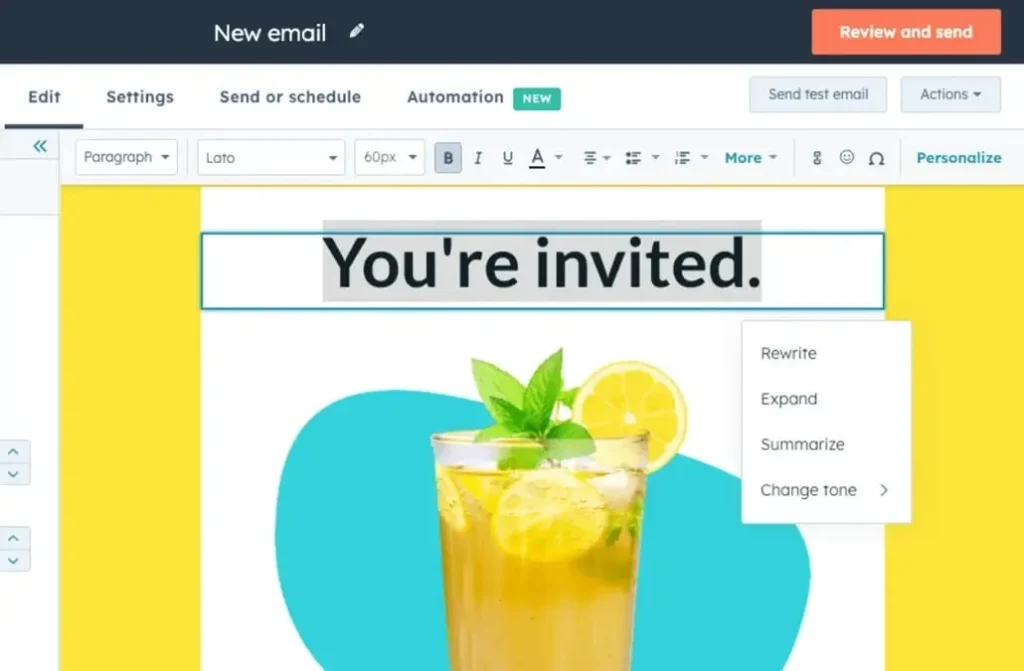
Image Source: HubSpot
HubSpot’s AI Writer takes a different approach by blending artificial intelligence right into their CRM platform. Their tool, now called “Breeze AI,” works with HubSpot’s Marketing, Sales, Service, and CMS Hubs to optimize content creation in your existing workflows.
HubSpot AI Writer Key Features
HubSpot AI Writer improves productivity in marketing and sales with these capabilities:
Blog generation – Creates complete blog posts by answering simple prompts
Email writing – Generates sales outreach and marketing emails with customizable tones
Content repurposing – Changes existing content into new formats for different channels
Website creation – Builds single-page websites using simple prompts and a drag-and-drop editor
Real-time editing – Provides AI suggestions as you write emails, landing pages, or blog content
CRM-aware content – Uses your customer data to create tailored content
The system handles tasks from drafting social media posts to creating landing pages in one application.
HubSpot AI Writer Pros and Cons
Pros:
All-in-one platform that combines AI writing with sales, marketing, and customer support tools
AI writing included even in the free plan
Simple setup gets you started quickly
Create and deploy content instantly without copying between tools
Content suggestions help you overcome writer’s block
Cons:
Generated content quality falls behind specialized writing tools
Complex pricing structure becomes expensive at higher tiers
Results need human editing to match brand voice
Long-form content agents need significant editing
Usage limits during high traffic periods
HubSpot AI Writer Pricing
HubSpot AI Writer’s pricing follows their tiered system:
Free Plan: Has simple AI writing capabilities within HubSpot’s free CRM
Starter Plan: Starting at $18/month for marketing contacts and starter hub plans
Professional Plan: Starting at $450/month with expanded AI features
Enterprise Plan: Starting at $1,200/month with advanced customization
HubSpot uses a credit system for AI features. Extra credits cost about $10 per 1,000 credits.
HubSpot AI Writer Best For
HubSpot AI Writer works best for:
Marketing teams scaling content production without extra resources
Sales teams crafting quick, tailored outreach emails
Customer service agents creating knowledge base content
Small teams wanting a bigger presence without burnout
Businesses using HubSpot’s CRM ecosystem
This AI writing tool stands out for companies that want their content creation to work with their customer data and marketing efforts in one place.
Wordvice AI
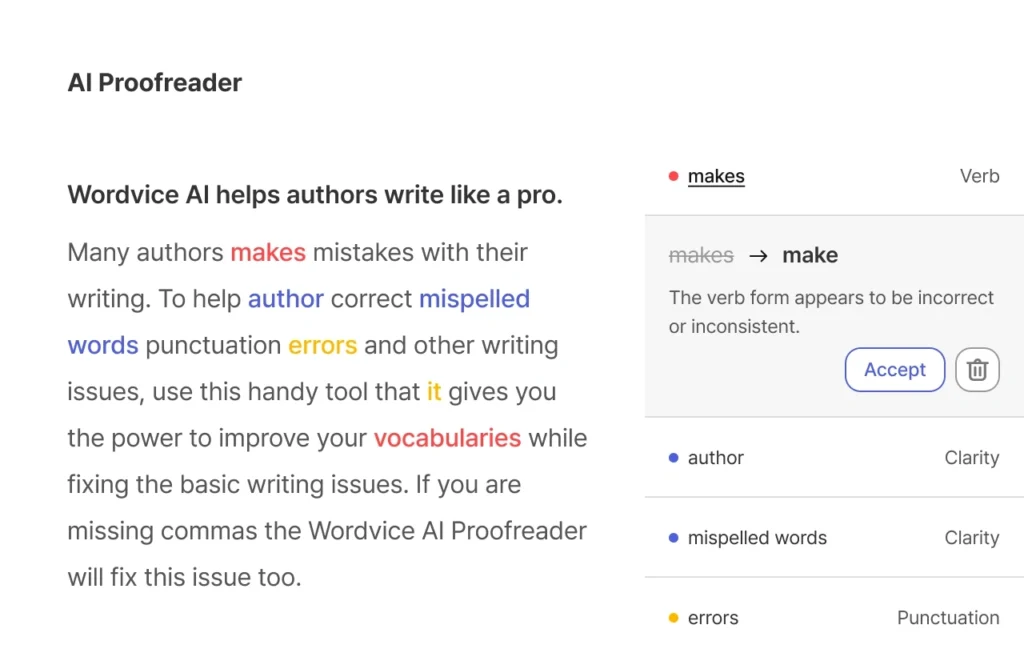
Image Source: wordvice.ai
Wordvice AI stands out as an academic-focused ai writing tool that helps researchers, students and professionals create better papers, essays, and documents. A team of specialized editors and engineers built this detailed writing assistant. It combines multiple large language models to produce more sophisticated results than tools using single LLMs.
Wordvice AI Key Features
The platform provides a complete suite of academic writing tools that work naturally together:
AI Proofreader – Spots and corrects grammar, punctuation, spelling, and style issues with smart suggestions
AI Paraphraser – Transforms content while keeping the original meaning (with nine revision modes)
AI Summarizer – Creates clear research article summaries with bullet point options
AI Translator – Works with multiple languages including Korean, Chinese, and English
AI Plagiarism Checker – Spots potential plagiarism and citation issues
AI Detector – Spots AI-generated content with high accuracy (99.94% for ChatGPT text)
The tool stands out with its multiple editing depth levels (light, standard, intensive, and concise) and specialized modes for academic, business, and creative writing.
Wordvice AI Pros and Cons
Pros:
Excellent at understanding academic text nuances
Keeps a formal tone throughout
Explains suggested changes clearly
Integrates naturally with professional human editing services
Handles multiple languages beyond English
Cons:
Free version has a 500-word limit per check and 5,000 words monthly
Premium subscription needed for Intensive and Concise modes
Focus on revision rather than original content creation
Simple interface compared to competitors
Wordvice AI Pricing
Basic Plan: Free with limited access (500 words per check)
Premium Plan: USD 9.95/month (annual billing), USD 15.95/month (semi-annual), or USD 19.95/month (monthly)
Team Plan: USD 9.95/month per user (annual billing)
Premium plans give you access to all AI tools with almost unlimited monthly usage.
Wordvice AI Best For
This ai writing tool works best for:
Academic researchers preparing journal submissions
Students writing essays and dissertations
Non-native English writers who need specialized help
Professionals creating formal business documents
Teams that need consistent editing across multiple documents
Writers who need an ai tool that understands academic writing nuances rather than just general content creation will find Wordvice AI offers specialized support that general-purpose tools can’t match.
GravityWrite
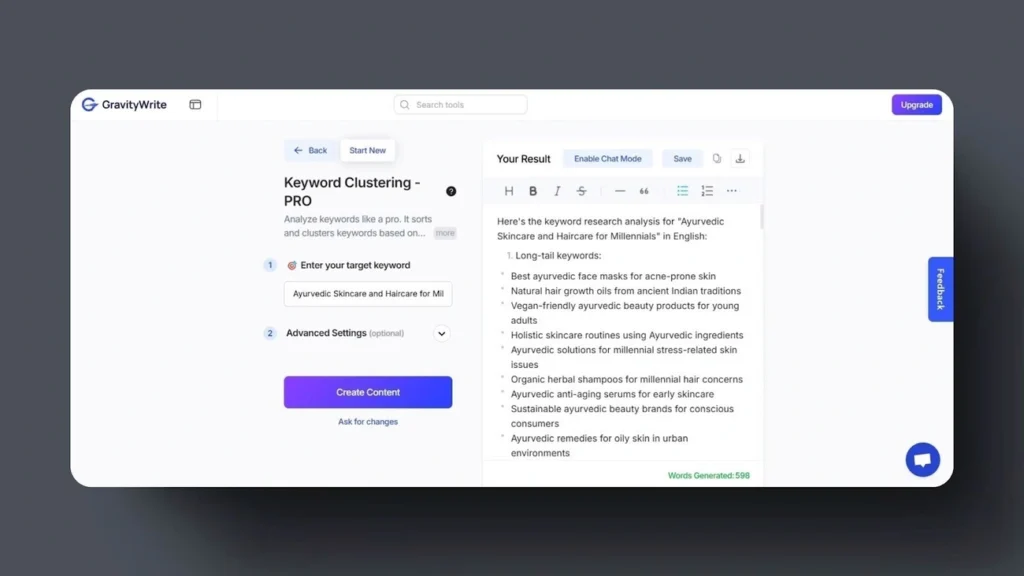
Image Source: GravityWrite
GravityWrite is a powerful all-in-one AI content creation platform that serves over 2 million users worldwide. Content creators often struggle with multiple tools. This AI writing tool solves that problem by combining blog generation, image creation and more in one easy-to-use interface.
GravityWrite Key Features
The platform uses a credit-based system instead of word count limits. Here are its best features:
AI Blog Writer with competitor outline analysis to optimize SEO content
AI Text Humanizer that helps content score above 95% on AI detection tools
Support for 30+ languages and 25+ content tones you can customize
200+ specialized content templates in 10+ categories
AI image and video generation right inside the platform
Social media management for multiple accounts
AI website builder that needs no coding skills
The platform makes content creation simple with an easy-to-use dashboard. You’ll find different AI technologies neatly organized for quick access.
GravityWrite Pros and Cons
Pros:
Creates content much faster
Offers 250+ specialized tools
Beginners can use it easily
Content passes AI detection tests
Built-in SEO tools analyze competitors
Cons:
Free plan gives only 1,000 words monthly
Long content needs manual editing
Image quality isn’t as good as specialized tools
Support can be slow sometimes
Few integrations with other platforms
GravityWrite Pricing
The platform comes with three pricing options:
Free Plan: $0/month – 1,000 words, basic features, 3 social media accounts
Plus Plan: $8.00/month (annual billing) or $19.00/month (monthly) – 500 credits for up to 100,000 words or 500 AI images, 5 social accounts, 100+ templates
Pro Plan: $49.00/month (annual billing) or $79.00/month (monthly) – 2,500 credits for up to 300,000 words or 2,500 AI images, 30 social accounts, 200+ templates
Your credits convert to different amounts of content based on the tool and quality you choose.
GravityWrite Best For
My experience shows GravityWrite works great for:
Marketing teams that need lots of varied content
Small business owners who want to save on content writing costs
Bloggers who need help with writer’s block and regular publishing
Social media managers handling multiple accounts
Content creators who need text and visuals from one tool
GravityWrite stands out from other AI writing tools. It’s affordable and gives you everything you need to create different types of content.
Jenni AI
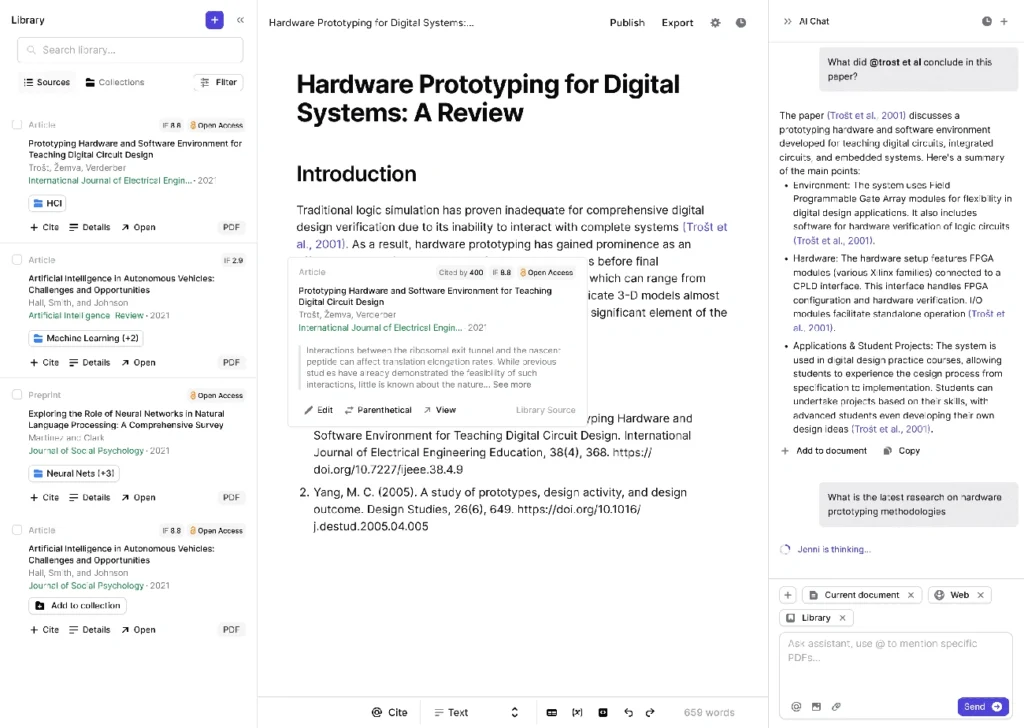
Image Source: jenni.ai
Jenni AI has emerged as a specialized AI writing tool that helps academic researchers and students produce over 15 million papers. This research assistant combines AI writing capabilities with robust citation management and research tools.
Jenni AI Key Features
Jenni AI comes packed with research-focused capabilities:
AI Autocomplete – Suggests next lines of text while you write to help beat writer’s block
In-text Citations – Creates citations in APA, MLA, IEEE, or Harvard formats from uploaded PDFs
Research Library – Manages PDFs and supports .bib imports to handle references
AskJenni AI Chat – Answers your research questions and helps with document queries
AI Editing Commands – Changes text tone through paraphrasing, simplifying, or expanding
Outline Builder – Builds structured outlines from simple prompts
Multilingual Support – Works in over 30 languages
The tool’s source-based generation lets users reference uploaded academic materials directly to improve research accuracy.
Jenni AI Pros and Cons
Pros:
Cuts down writing time by 5.2 hours per paper on average
Makes citation management simple with 2,600 citation styles
Helps with research through AI assistance and source checking
Keeps academic integrity intact with plagiarism detection
Features a clean, easy-to-use writing interface
Cons:
Basic version limits users to 10 AI autocompletes per day
Some users report problems with customer support
Complex topics might lack detail in generated content
Some information needs fact-checking
Scanned PDFs can cause parsing issues
Jenni AI Pricing
The pricing model keeps things simple:
Free Plan: $0/month – 10 AI autocompletes/day, 10 PDF uploads, 5 AI edits, 10 AI chat messages
Unlimited Plan: $12/month – No limits on AI features, PDF uploads, full document export, live chat support
Team & Institutional Plans: Custom pricing includes dedicated support, usage analytics, and multi-seat discounts
Jenni AI Best For
My experience shows this AI writing tool works best for:
Academic researchers writing scholarly articles and papers
Students working on essays, theses, or dissertations
Research teams who collaborate on scientific writing
Non-native English speakers who need help with academic writing
People who want efficient citation and reference management
Jenni AI stands out from other AI writing tools because it focuses on academic integrity and research-based content creation rather than marketing copy or creative writing.
🚀 Save 10 Hours Per Week on Content Creation
Stop wasting time on manual content creation. Runnwrite AI generates perfect social media posts AND SEO blog articles automatically.
Copymatic
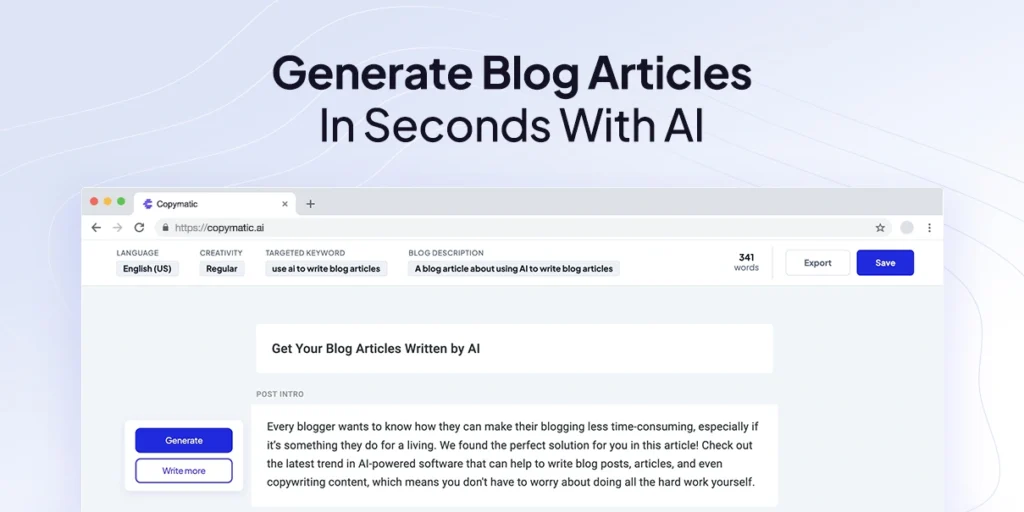
Image Source: copymatic.ai
Copymatic changes the content creation process with its AI-powered platform that creates complete blog posts, ads, and emails in seconds. This versatile tool streamlines processes and gets content done faster, cutting creation time from hours to minutes.
Copymatic Key Features
Copymatic has over 80 AI writing tools that fall into several main categories:
Long-Form Content Writer – Creates 1,000+ word articles from simple descriptions
Specialized Copywriting Tools – Has templates for social media ads, landing pages, product descriptions, and video scripts
SEO Optimization – Has content analysis panel and SEO scoring
Content Enhancement – Features rewriter and grammar checker tools
Accessibility Options – Has Chrome extension, WordPress plugin, and API access
The platform supports translation into more than 25 languages. Users can adjust creativity levels or tone of voice to get more customized content.
Copymatic Pros and Cons
Pros:
Content creation takes much less time, with long-form articles ready in about 5 minutes
Easy-to-use platform that you can learn quickly
Versatile platform with 82 different tools for content needs of all types
Great for beating writer’s block with idea generation and outlines
Low plagiarism risk at just 2.00%
Cons:
Output sounds generic and needs human editing
Missing advanced keyword research tools for detailed SEO
Knowledge cutoff makes it less useful for recent events
Some users mention technical issues and slow support response
Content quality matches what free AI tools produce
Copymatic Pricing
The current pricing structure (as of 2025) has three main plans with annual billing:
Pro: $19.00/month – One user seat, unlimited words, all tools
Team: $32.00/month – Five user seats, unlimited words, all tools
Enterprise: $66.00/month – 25 user seats, unlimited words, all tools
Each plan comes with unlimited words, full access to tools, 25+ languages, and a plagiarism checker.
Copymatic Best For
My experience shows this AI writing tool works best for:
Small businesses and entrepreneurs who need help with writing
Marketing teams that need quick content for multiple platforms
Bloggers who want structured, SEO-friendly first drafts
Social media managers creating posts for different channels
Users with small content needs looking for affordable AI writing help
Copymatic shines by offering many content generation tools at a good price point. You’ll still need to polish the output to get the best results.
Anyword
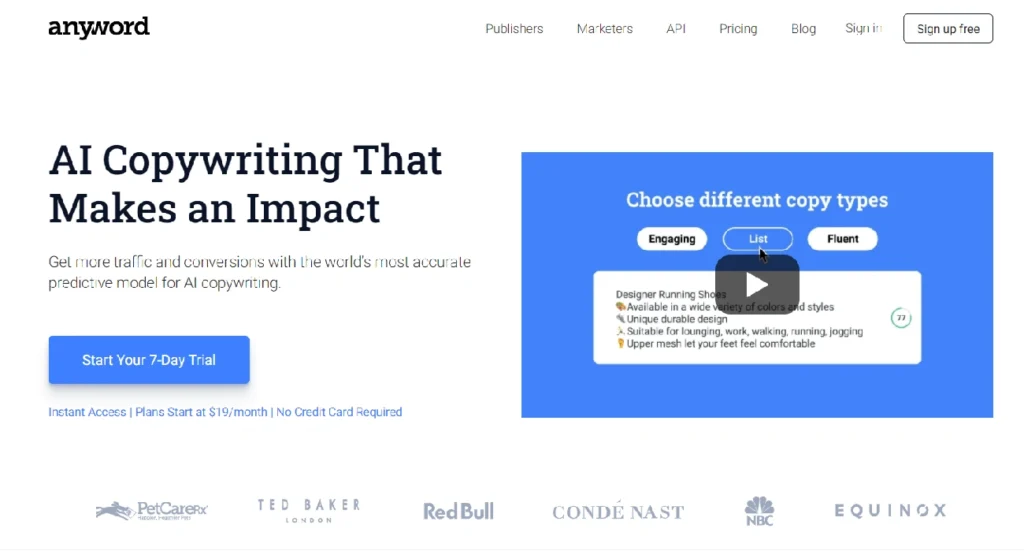
Image Source: Isolated Marketing Nights
Anyword takes AI content creation to the next level by focusing on performance instead of volume. This AI writing tool uses predictive analytics to create marketing copy that helps businesses increase their conversion rates by 30%.
Anyword Key Features
Anyword’s Predictive Performance Score sets it apart from other tools. This system grades text and predicts its effectiveness before publication with 82% accuracy in identifying better-performing content variations. The platform also includes:
Data-Driven Copy Generation – Creates high-converting content for formats of all types
Blog Wizard – Makes blog post creation simple with well-laid-out templates
Website Automation – Creates personalized messages for different audience groups
Brand Voice Management – Keeps messaging, tone, and audience profiles in one place
Chrome Extension – Lets you create content right where you work online
The platform combines smoothly with popular tools like ChatGPT, Notion, and Gemini through its APIs to keep content consistent across channels.
Anyword Pros and Cons
Pros:
Predictive scoring eliminates the need for expensive A/B testing
Shows you the demographics and emotional triggers behind content
Works in more than 30 languages for worldwide marketing
Combines data insights with creative content
Some users get 8% click-through rates on emails (up from 2.5%)
Cons:
Content can be wordy and inefficient at times
Plans are more expensive than similar tools
Users sometimes get logged out often
Content might need heavy editing to match brand voice
Advanced features take time to master
Anyword Pricing
Here’s what Anyword charges as of late 2025:
Starter: $39/month – Write as much as you want, 50 performance predictions monthly
Data-Driven: $79/month – Immediate scoring, content improver, analytics
Business: $349/month+ – More users, channel connections, custom models
Enterprise: Custom pricing – Private models, HIPAA compliance, dedicated help
Every paid plan includes unlimited words and starts with a 7-day free trial that includes 2,500 words.
Anyword Best For
Anyword works best for teams who want results from their content:
Marketing teams who want data to back their content choices
Demand generation experts tracking conversion rates
Ad managers who create many versions quickly
E-commerce businesses writing about products
SEO content creators aiming for better performance
Anyword helps teams create content that not only reads well but delivers measurable business results.
INK For All
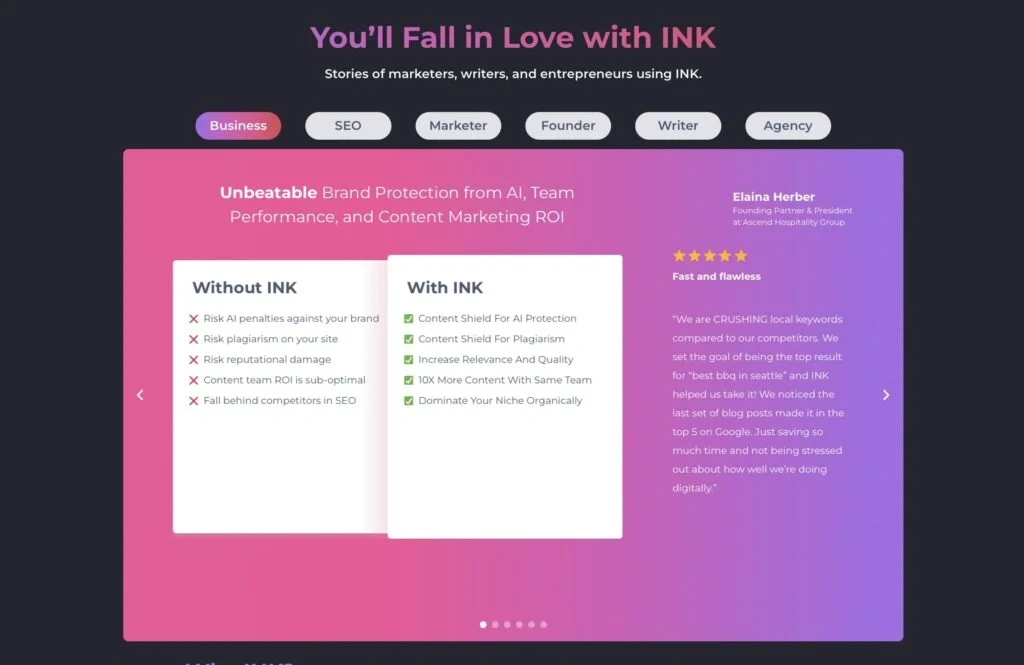
Image Source: INK Blog
INK For All excels as a specialized SEO-focused solution that shields content from AI detection and improves search engine rankings. This all-in-one content marketing suite blends AI writing with powerful optimization tools to enhance search visibility.
INK For All Key Features
INK provides a detailed set of tools focused on content performance:
AI Content Shield – Protects your content from potential AI detection penalties
SEO Intelligence – Gives up-to-the-minute optimization scoring with practical recommendations
Keyword Research & Clustering – Helps build content hubs and topical authority
AI Image Generation – Creates product and marketing visuals through simple prompts
Multi-Language Support – Works with 20+ languages including Spanish, German, and Chinese
INK’s proprietary KUPE AI technology understands context and semantics to make generated text sound more human.
INK For All Pros and Cons
Pros:
User-friendly design that works for content creators of all levels
Clean writing environment with minimal distractions
Content with 97% INK Score has 4x better chances to rank in Google’s top 10
Built-in plagiarism checker confirms originality
WordPress integration enables quick publishing
Cons:
Desktop platforms support English only
Output sometimes needs heavy editing
Users report confusing results occasionally
Keyword research features are nowhere near specialized SEO tools
INK For All Pricing
INK keeps its pricing simple:
Professional: USD 39.00/month (annual billing) with unlimited AI writing, SEO articles, and AI images for single users
Enterprise: USD 99.00/month (annual billing) includes 3 paid users, advanced team management, and premium support
Each plan comes with a 5-day free trial and 10,000 words – no credit card needed.
INK For All Best For
INK proves valuable as an AI writing tool for:
Marketing professionals who need content that ranks without AI detection issues
E-commerce businesses creating product descriptions and marketing copy
Content teams building SEO-optimized websites and blogs
Writers worried about AI detection and search engine penalties
Businesses wanting to combine multiple content tools into one platform
Describely
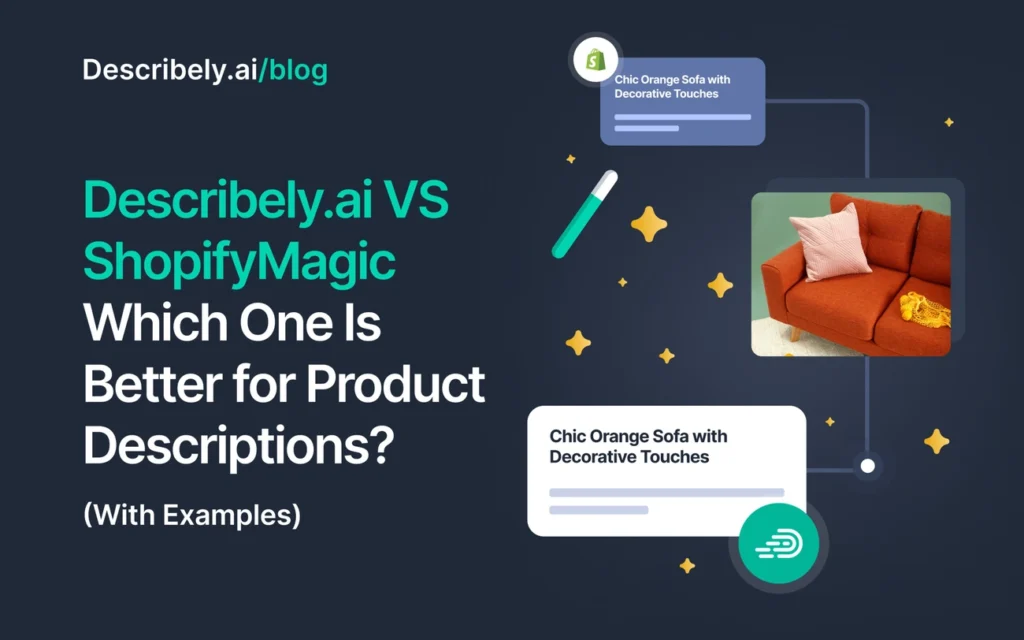
Image Source: Describely.ai
Describely stands out from other AI writing tools by focusing solely on eCommerce product descriptions. The platform knows how to generate content for thousands of products at once and connects directly to online stores. Product data transforms into SEO-optimized copy within minutes.
Describely Key Features
The platform delivers powerful eCommerce-specific capabilities:
Bulk Content Generation – Creates thousands of product descriptions at once and saves weeks of writing time
Brand Voice Customization – Content rules keep messaging consistent across all listings
SEO Optimization – Boosts visibility in traditional search engines and AI-powered results
Platform Integrations – Works with Shopify, WooCommerce, Wix, Squarespace, and more
Data Enrichment – Product details update automatically from manufacturer sources
Describely Pros and Cons
Pros:
Content creation time drops significantly – users complete 78 products in just 2 hours
Brand messaging stays consistent across product listings
Optimized content helps improve search rankings
Cons:
Free version limits users to 5 products
Tool works only for eCommerce use cases
Advanced features need a subscription
Online retailers, agencies managing multiple stores, and distributors with large catalogs will find this specialized AI tool valuable. It creates consistent, optimized product content efficiently.
Comparison Table
|
AI Tool |
Key Features |
Best For |
Notable Pros |
Notable Cons |
Starting Price |
|
Notion AI |
– Smart Content Generation |
– Knowledge workers |
– Fully integrated with Notion |
– Limited to 20 AI responses on Free/Plus plans | |
|
Lex |
– Distraction-free editor |
– Serious writers |
– Clean interface |
– Free version less powerful |
Free (limited), $12/month (annual) |
|
HubSpot AI Writer |
– Blog generation |
– Marketing teams |
– All-in-one platform |
– Quality below specialized tools |
Free (basic), $18/month (Starter) |
|
Wordvice AI |
– AI Proofreader |
– Academic researchers |
– Excellent for academic text |
– Free version limited to 500 words |
Free (limited), $9.95/month (annual) |
|
GravityWrite |
– AI Blog Writer |
– Marketing teams |
– Reduces content creation time |
– Limited free plan |
Free (limited), $8/month (annual) |
|
Jenni AI |
– AI Autocomplete |
– Academic researchers |
– Saves ~5.2 hours per paper |
– Limited free version |
Free (limited), $12/month |
|
Copymatic |
– Long-Form Content Writer |
– Small businesses |
– Fast content generation |
– Generic AI output |
$19/month (Pro) |
|
Anyword |
– Predictive Performance Score |
– Marketing teams |
– Predictive scoring |
– Occasional wordiness |
$39/month (Starter) |
|
INK For All |
– AI Content Shield |
– Marketing professionals |
– User-friendly |
– English-only desktop |
$39/month (Professional) |
|
Describely |
– Bulk Content Generation |
– Online retailers |
– Fast bulk generation |
– Limited free version |
Not mentioned |


